View exposures in Map View
Steps to view exposures in Map View.
Procedure
- Open an existing company which contains exposures and select the exposure set ().
-
In the Exposure Set panel, drag the top
 of the Map View pane up to display more
of the map; you may also use the Maximize
of the Map View pane up to display more
of the map; you may also use the Maximize  /Restore
  button in the upper right hand corner of the map pane.
-
Use the map tools to resize and readjust the map and to inspect and analyze the
exposure data.
You can change the base map, draw on the map, view by layer, measure, and more.
Figure 1. Sample Map View with Exposure Data 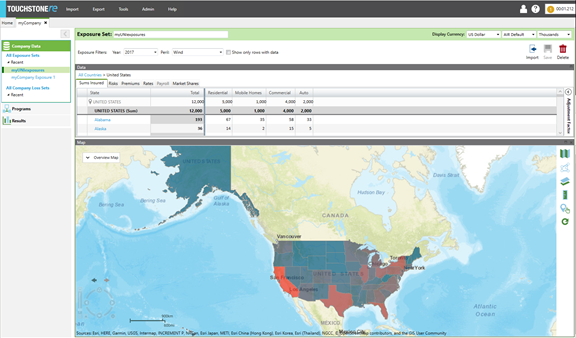
-
To view exposure by country or subarea (e.g., county, province), select that exposure
set in the grid above the map.
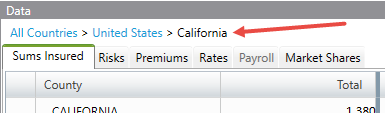
Note that once you move into the grid you may also back out quickly by using the bread crumb link at the top of the grid.
In the following example, click United States to back out to view all states in the United States. Click Country to view all countries.