
Portfolios
A portfolio is a group of treaties selected from across companies.
 Portfolios
Portfolios are used by reinsurers to manage the overall risk of the treaties they participate in (i.e. their book of business). In addition to the ‘bound' portfolio (portfolio of all bound treaties), reinsurers may create portfolios for sensitivity analysis.
To view the current list of portfolios for this business unit, go to .
-
Click
 to refresh the list.
 -
Toggle between All Companies and My Companies to view only those companies of interest.Toggle between All Portfolios and My Portfolios to view only those portfolios of interest.
-
Click the column header (e.g. Portfolio Name, Type, Date) to change the order of the listing.
-
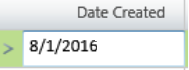
Select a filter in the row below the column header; filter selections (e.g. =, starts with, >, <, contains) will be appropriate to the column type. When appropriate enter a value in the associated text box for the filter to act on.
Example:
-
Click
 in the first column header to bring up the
Column Chooser and manage which columns will display and in what order.
in the first column header to bring up the
Column Chooser and manage which columns will display and in what order.
Default columns include:
|
Column Header |
Description |
|---|---|
|
Portfolio |
Name of the portfolio. To view portfolio details, click the portfolio name. To change a portfolio name, click in the name text box and make your update. Edits to company name will apply to all instances in the application. |
|
Type |
A portfolio may be one of two types, static or dynamic. Once a portfolio type is selected, you cannot change it.
|
|
Date Created |
Date this portfolio was created. |
|
Date Edited |
Date this portfolio was last edited. |
|
Description |
Summary of the portfolio contents. To add or change a description, click in the description text box and enter your changes. |