
Japan earthquake custom first loss event set
Steps to run a program loss analysis for Japan earthquake.

Touchstone Re offers eleven Japan earthquake catalogs with First Loss coverage percentages ranging from 2.5% up to 100% in order to effectively model the evolving Japanese insurance market following deregulation. A common use case is to group prefectures with similar First Loss coverages before applying aggregate reinsurance terms. To accomplish this, configure a loss analysis to apply a different first loss coverage percentage to each prefecture for a single program.
-
In the Analysis Settings pane, select the Japan EQ Custom First Loss (10 K Verisk Custom Time Dep) event set.
-
Click the
 ellipsis button that
appears to set the First Loss % by prefecture.
ellipsis button that
appears to set the First Loss % by prefecture. -
Enter or paste a ratio (a value between 0.0001 and 1) for each prefecture to be included.
-
Click the Map Event Sets button.
Touchstone Re will select the closest matching event set for each prefecture, by converting the ratios provided into First Loss %. In the example above, a ratio of 0.5 for Aichi would be mapped to the 50% CFL event set.
Click Ok to save your changes.
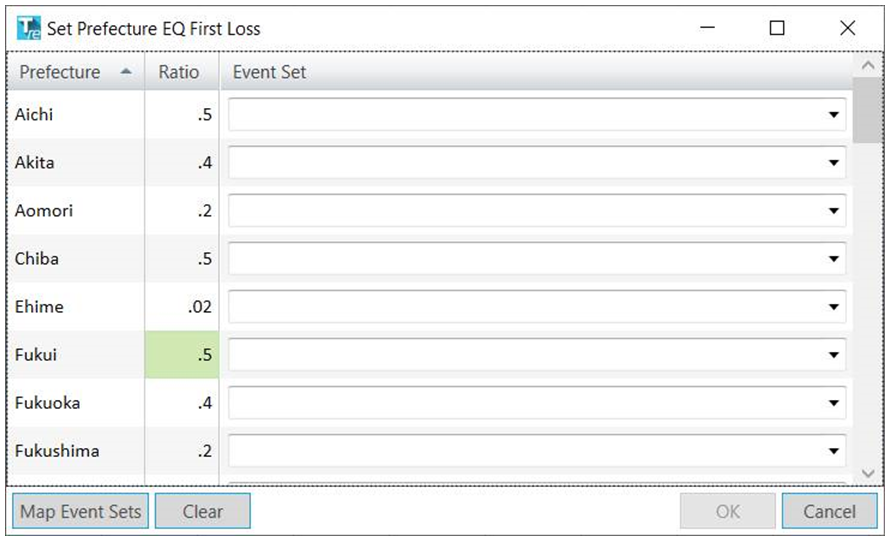
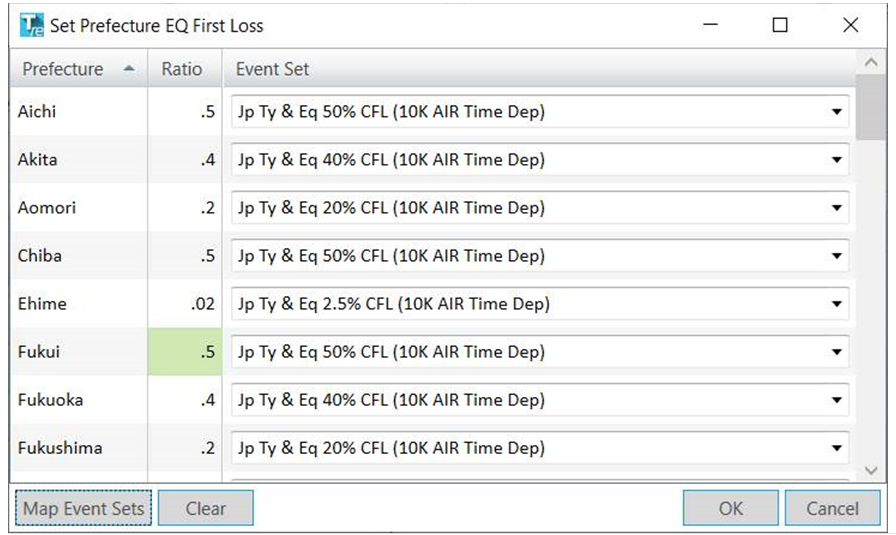
Another option in this dialog is to select the event sets directly from the drop-downs without entering any ratios.
Note that the initial analysis only produces ground up company loss, so DLF export and import is still required to apply aggregate reinsurance terms.