
Maps

When viewing exposure data in a map view various tools allow you to make adjustments to the map and its layers.
- Reposition
-
To reposition the map, drag the map in the viewer.
- Inset Map
-
Use the Overview Map viewer to determine where you are on the overall map.
- Forward / Back
-
Use these arrows
 to zoom to previous or next map
extents.
to zoom to previous or next map
extents. - Zoom
-
Use the Magnification Slider to zoom in and out of the map. The grid and the map will stay synchronized.

- Orientation
-
Use the Compass to change the orientation of the map (Click directional arrow or drag the compass to rotate.). Click
 to reorient the map North. Click
  to reset to a Map of the World.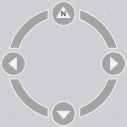
- Map Legend
-
Click Map Legend on the map ribbon to display the Map Legend in the lower right corner of the map; the contents of the legend vary according to the map. To view (expand) the map legend, click
 . To collapse the legend, click the icon again.
Additional map tools are available on the ribbon.
To reset any changes made using these tools click  .
.