|
|
|
|
Splitting a Window into Vertical Panes |
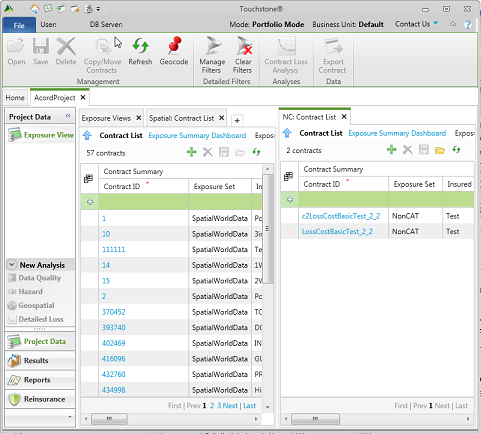
If you have multiple tabs open in a window, you can split the window to create two or more vertical panes.
To split a window into vertical panes:
1. Ensure that you have multiple tabs open. For example, open two tabs in a project.
2. Right-click a tab, and then select New Vertical Tab Group or drag-and-drop the tab onto a hotspot indicator for a vertical pane.
The new pane appears, as shown in the following example.
|
© 2020 AIR Worldwide. All rights reserved. Touchstone 6.0 Updated September 03, 2020 |
