|
|
|
|
Opening a New Tab in a Project |
The Touchstone user interface supports tabs, which enable you to have multiple projects or contracts open at one time. Tabs also enable you to have multiple pages within the same project open at one time.
| When you select a project activity, by default Touchstone opens the activity in the currently selected tab. |
To open a new tab:
2. Click the  icon to the right of the rightmost tab.
A new tab appears with a list of your most recent activities.
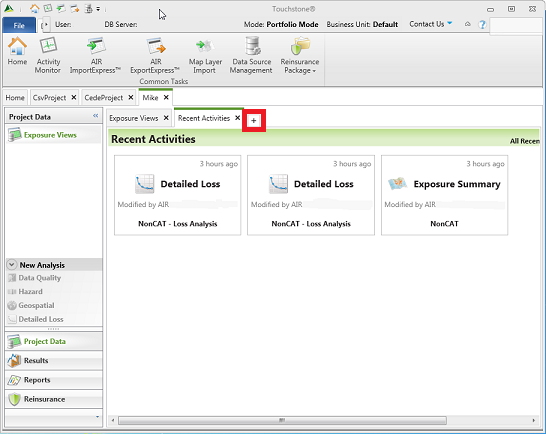
3. Click the activity that you want to open on the new tab.
4. Click the
icon and then select an activity in the navigation pane, such as analysis
results.
The selected results appear on the new tab.
|
© 2020 AIR Worldwide. All rights reserved. Touchstone 6.0 Updated September 03, 2020 |
