|
|
|
|
Touchstone Workflow |
The core Touchstone workflow consists of the following three major tasks:
1. Import and geocode exposure data (that is, a portfolio or contract).
2. Perform a Detailed Loss Analysis.
3. Export loss analysis results and reports.
Additionally, Touchstone provides other analyses that you can run to enhance your overall view of risk. Refer to the Help for information about Data Quality Analysis, Hazard Analysis, and Geospatial Analysis. You can also run analyses on Detailed Loss Analysis results, including Loss Group Analysis, Loss Comparative Analysis, Marginal Impact Analysis, and CAT XOL Analysis.
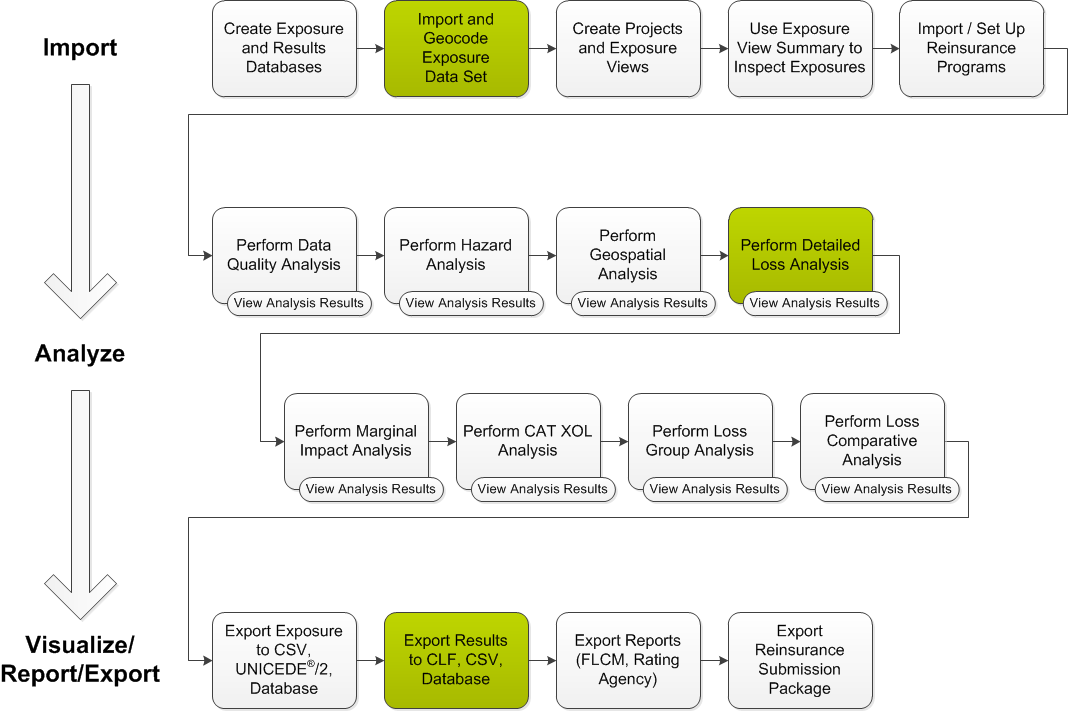
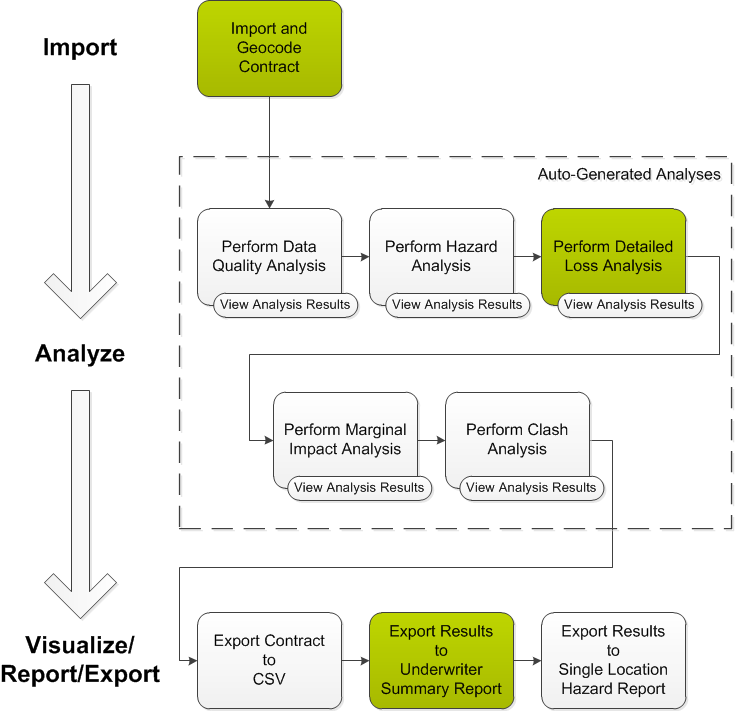
The goals differ between users of Portfolio Mode and users of Underwriting Contract Mode. Portfolio Mode users work with multiple contracts simultaneously and need a higher level of flexibility to optimize their portfolios. In contrast, Underwriting Contract Mode users need to analyze a single contract at a time for streamlined risk selection and pricing. Consequently, the workflow for each of these modes has important differences. However, the core workflow tasks remain the same for both Touchstone modes. The diagrams below highlight the core Touchstone workflow tasks within the workflows for Portfolio Mode and Underwriting Contract Mode.
The diagram below shows the core Touchstone workflow, along with optional tasks that are available in Portfolio Mode. Click any section of the workflow to view additional information about the corresponding tasks.
The diagram below shows the core Touchstone workflow, along with optional tasks that are available in Underwriting Contract Mode. Click any section of the workflow to view additional information about the corresponding tasks.
|
© 2020 AIR Worldwide. All rights reserved. Touchstone 6.0 Updated September 03, 2020 |
