The steps to locate the results for a specific analysis are as follows.
- In the Touchstone user interface, open the results frame.
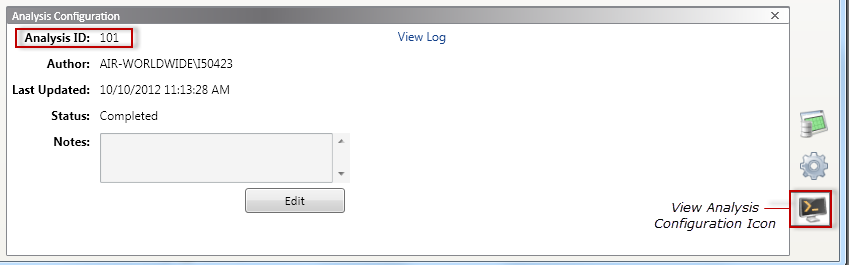
- Select the View Analysis Configuration icon, which is located in the lower right corner (icon indicated below).
- In the Analysis Configuration window, note the Analysis ID (101 in the example below).
- Open Microsoft® SQL Server® Management Studio.
- Open the AIRProject database, right-click on the dbo.tAnalysis table, and choose Select Top 1000 Rows.
- In the table, locate the AnalysisSID for the results you want to review (identified in Step 3); Scroll across to find your ResultDataSourceName and ResultSID.

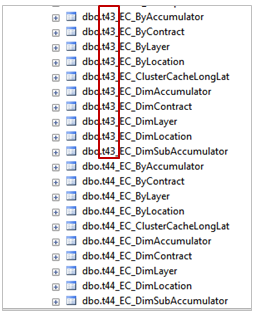
- Open the AIRResult database and, from the listed tables, locate the "t" number that matches your ResultSID. The analysis results are located in these tables (for example, dbo.t43_EC_... tables).